Soul: Recreated Scene

Project Overview

As someone passionate about animation and jazz, Soul immediately brought back memories of playing trombone in my high school marching band. After earning my degree in animation, I pursued a career as a CG artist, but this film reminded me of the joy I once found in playing music.

Inspired by that feeling, I recreated this scene from Soul entirely from scratch. I handled the modeling, texturing, look development, lighting, and simulation myself, using the project as an opportunity to explore the visual language of the film while challenging myself to recreate a cinematic shot from the ground up.

Tools: Maya · Houdini · Substance Painter · Arnold

Roles: Modeling · Texturing · Look Development · Lighting · FX · Rendering

Inspired by Soul Pixar


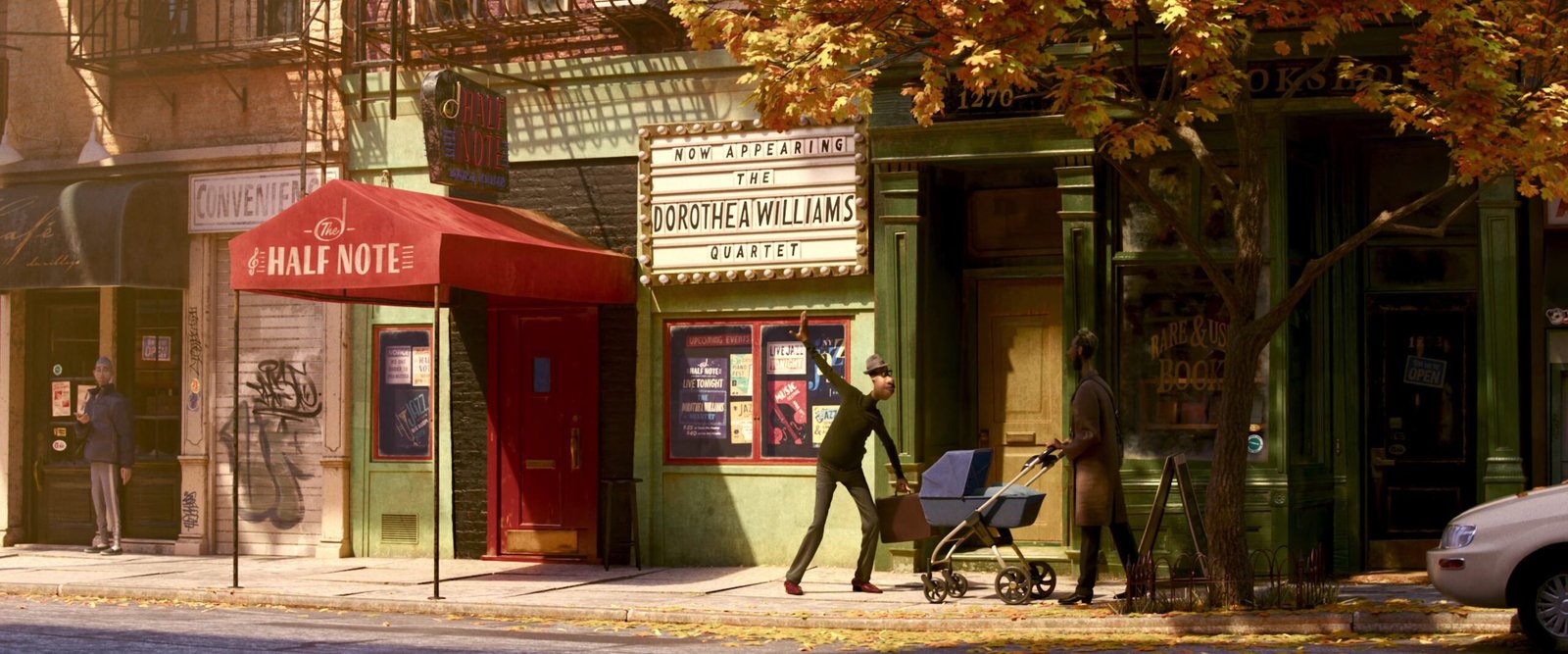
Reference

“I DID, I GOT THE GIG!”

One of my favorite moments in Soul is when Joe Gardner excitedly realizes that he got the gig after performing for the band leader, who tells him, “We’ll see how you do.”

That moment captures something I deeply understand: the excitement of finally getting an opportunity you’ve been waiting for and working for. If a moment like that ever happened to me, I honestly don’t know if I could hold back my tears. It’s the kind of opportunity that makes all the waiting, uncertainty, and hard work feel worth it.

Reference from Soul Pixar
Reference Close Up Shot

Buildings

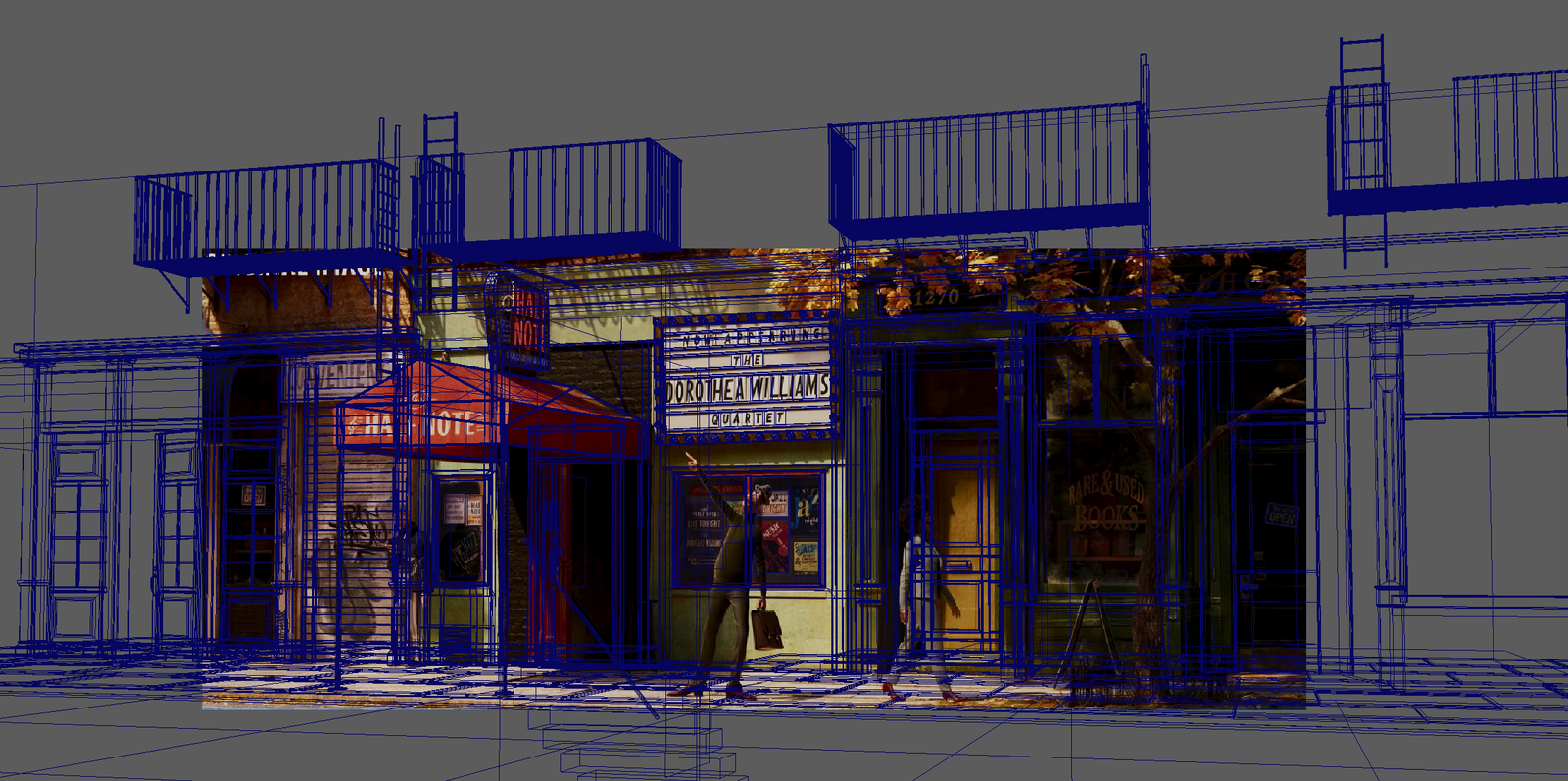
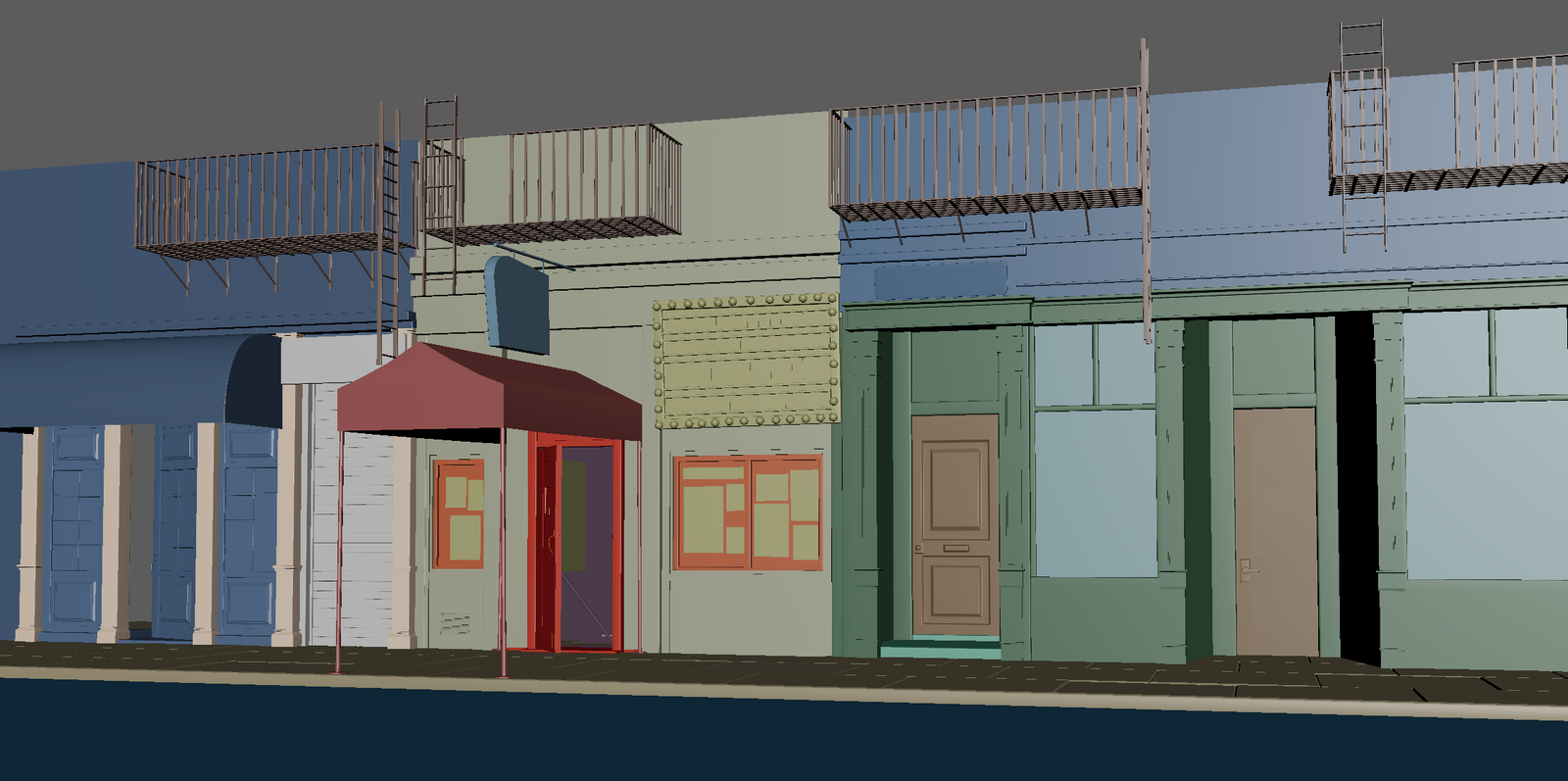
I started by matching the composition and camera angle to the reference image, including the camera focal length. I then divided the scene into four main sections: the left building, middle building, right building, and the road/underground level.

I began by blocking out the major shapes and proportions. To make sure the buildings were properly scaled and positioned, I used a simple directional light to match the lighting direction in the reference and adjusted the shader materials to closely resemble the original image.

Texturing & Shading

Before exporting the models, I established a clear material naming convention to keep the scene organized and streamline the texturing process. I then imported the entire scene into Substance 3D Painter for texturing.

I started with the building textures, focusing on the overall materials and color variations before refining smaller surface details and decorative elements. Once the textures were finalized, I brought them into Maya and used Arnold to develop the final shaders and materials.
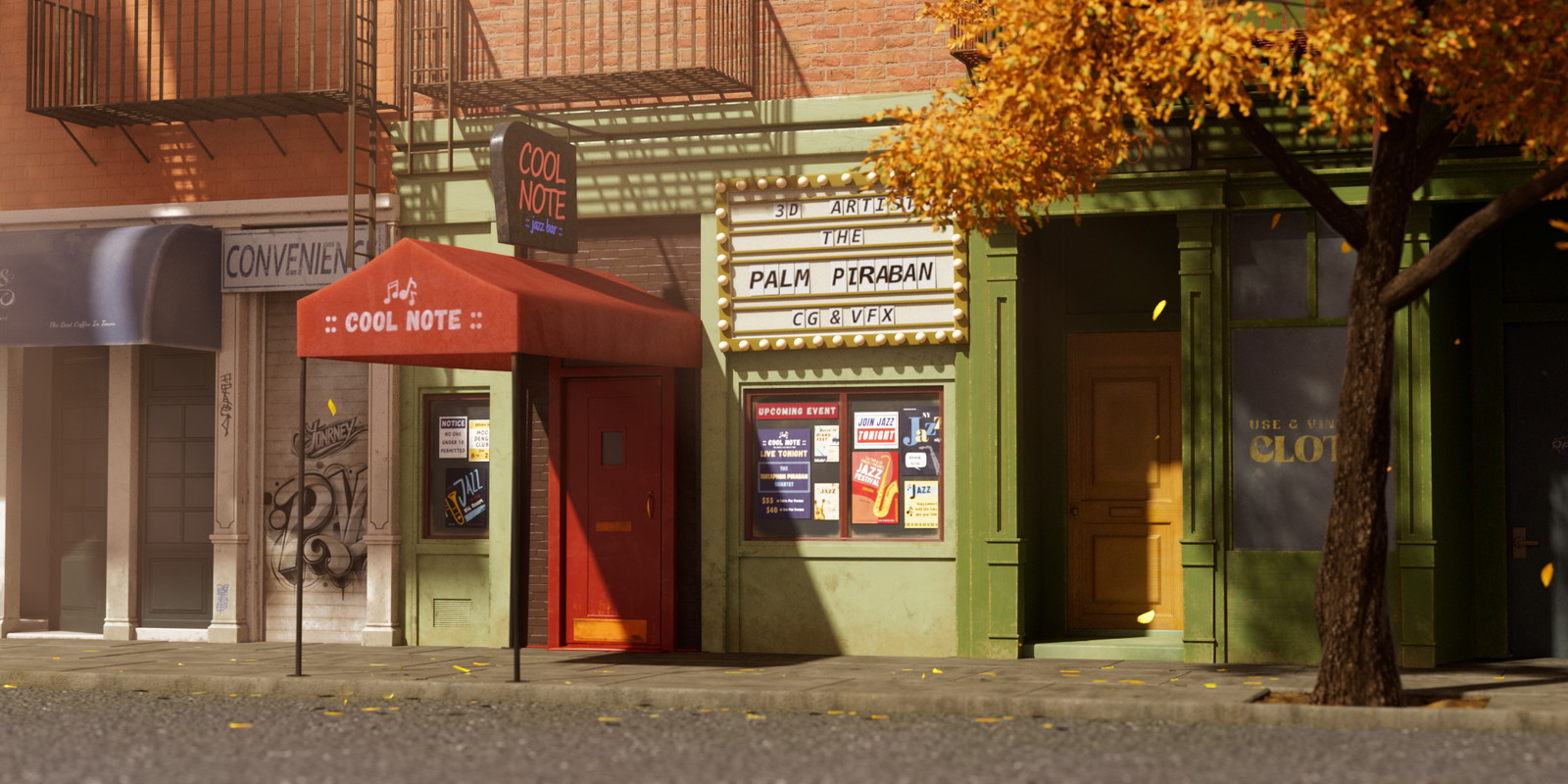
I designed all of the posters in the scene from scratch. Fun fact: I always like to hide my name somewhere in my CG work. Can you find it? 👀

Tree & Leaves

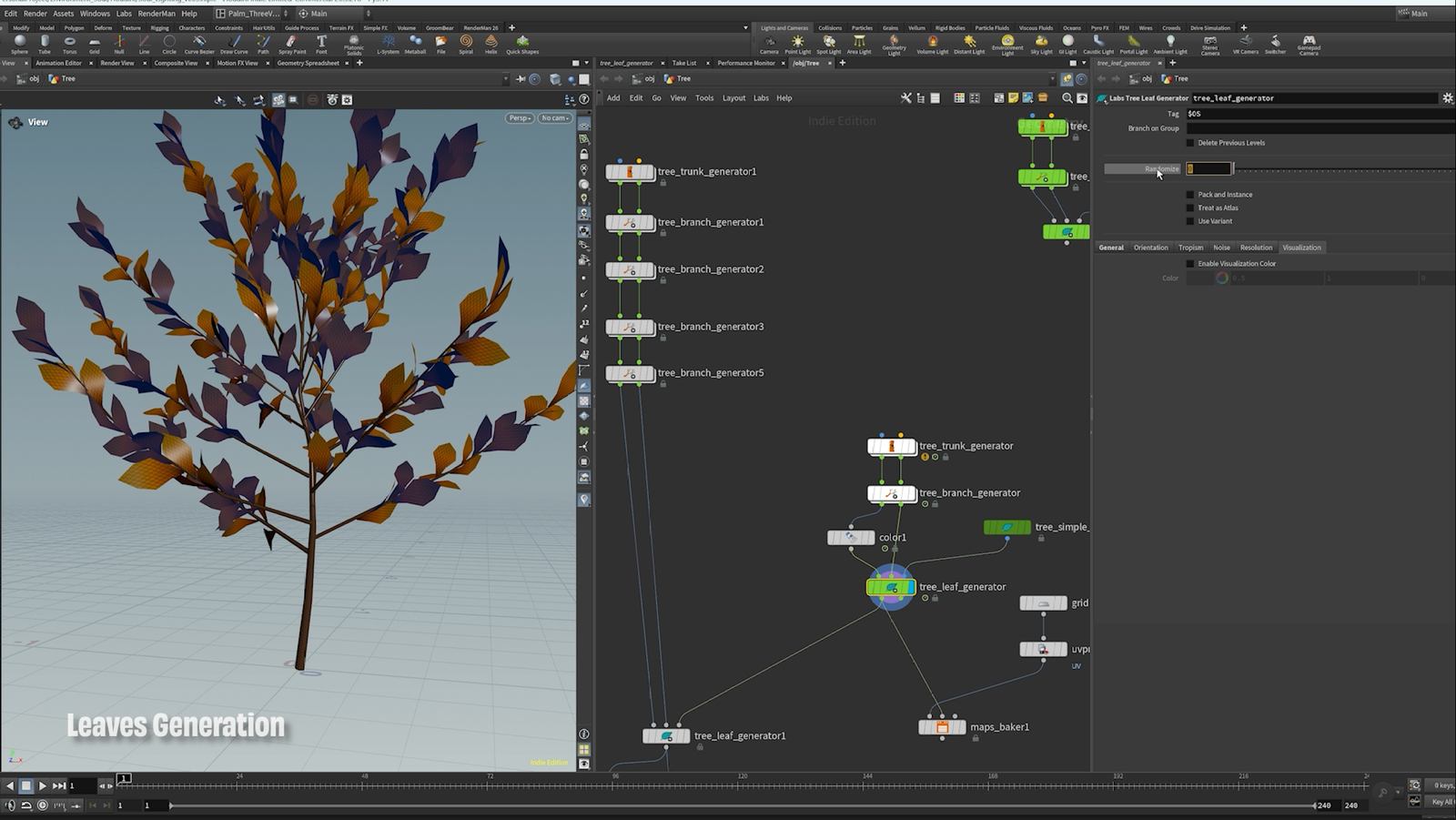
I switched to Houdini to create the trees and leaves, as its node-based procedural workflow is well suited for handling complex scenes with a large number of repeated objects. I built the tree structure procedurally, allowing me to control the trunk, branches, and overall shape while keeping the setup flexible and easy to adjust. I used the Tree Generator workflow from SideFX as a reference for the setup. SideFX — Tree Generator Tutorial

For the leaves, I used a similar procedural approach, connecting leaf geometry across the branches and adjusting the scale and rotation. I added more leaves and increased randomness in the leaves’ placement to create a more natural, organic look and avoid a uniform or repetitive pattern. This procedural workflow allowed me to quickly generate dense foliage while keeping the scene organized and making it easy to adjust the overall look without manually placing individual leaves. 

Then, I used Vellum simulation to create falling leaves. I scattered all the leaves on the grid and used the original background as the collision geometry.


Final

In this project, I learned how to create a falling leaves simulation in Houdini. I had never done a simulation before. Most of my experience has been as a CG Generalist, working on set extensions for visual effects, as well as lighting and compositing for animated feature films.

After finishing this project, it not only reminded me of the feeling I had when I played the trombone, but also helped me expand my skill set.

Thank you for reading my work-in-progress article!
– Palm